
Requests and holds
Transcript, certificate, correction, waiver, withdrawal, exception requests. Routed to an office with a working-day deadline; evidence attached; sent back for correction; approved with an audit trail.
The student record stays where it is. Teaching stays in Canvas. Anvara adds what students and offices are missing: requests with an owner and a deadline, payments that explain themselves, approvals with an audit trail, and a home page that says what to do next, in Bangla or English.
Teaser · 1 min 38 s · the real product on test data. The 13-minute walkthrough goes through every area.
Reads the university's records; writes back only after the right person approves.
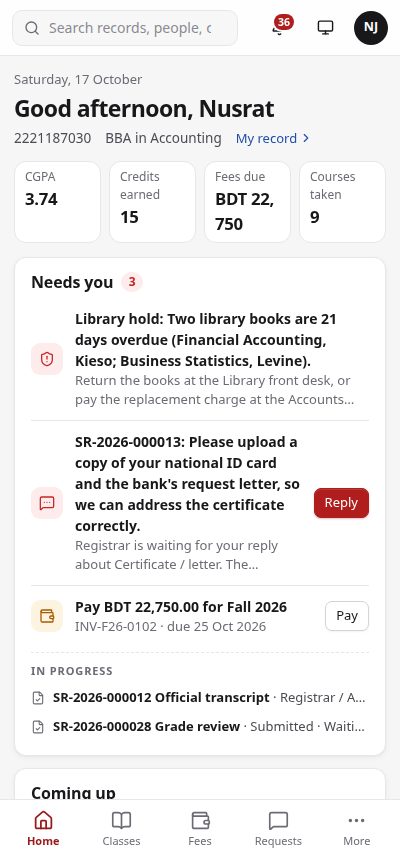
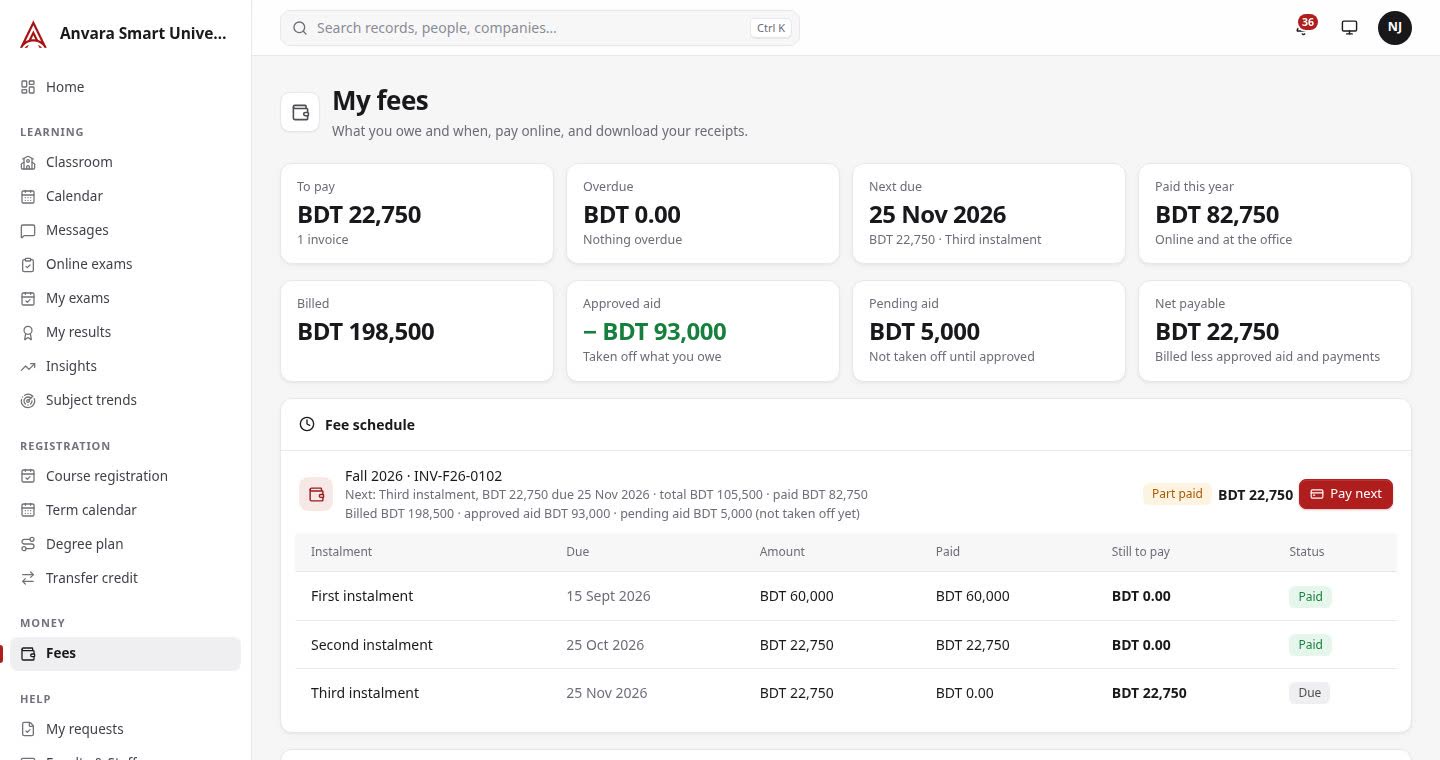
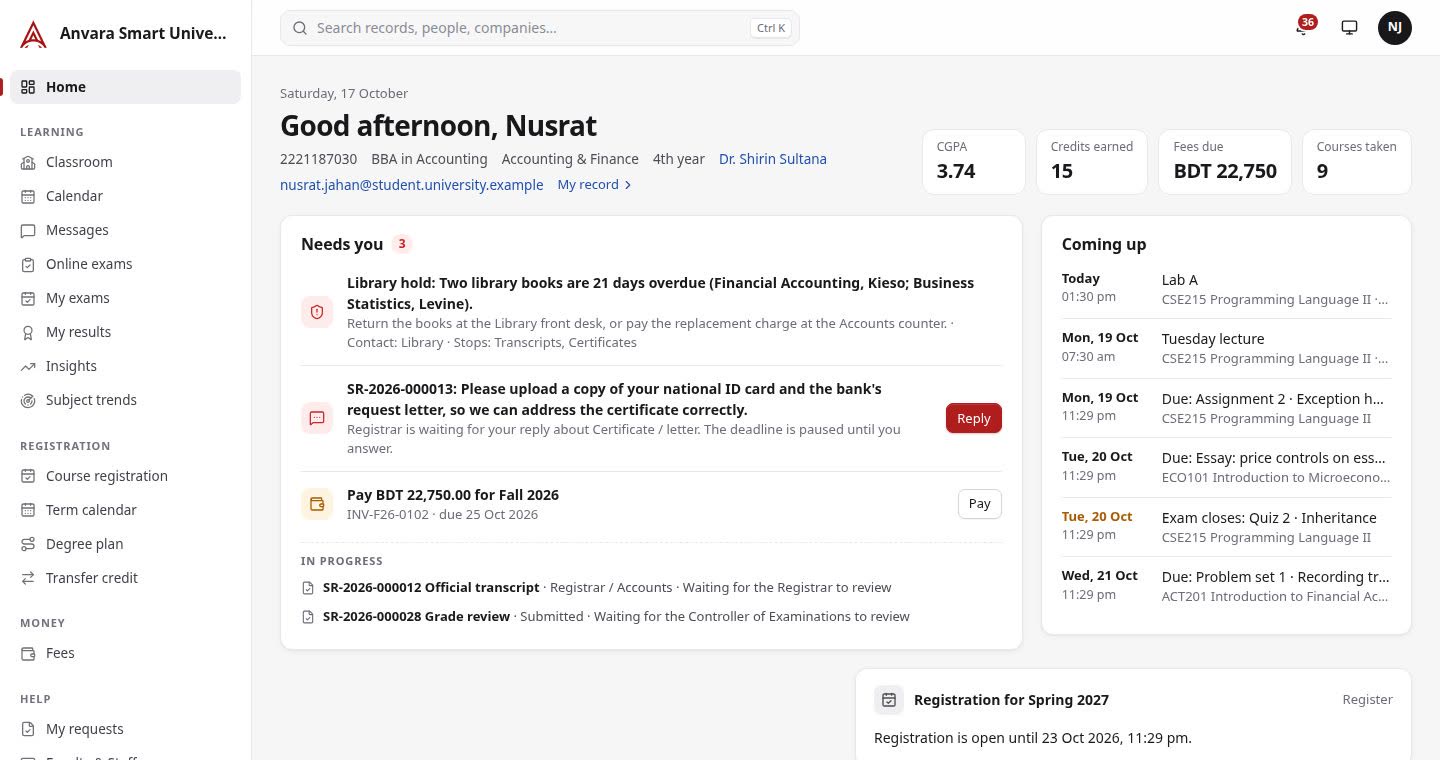
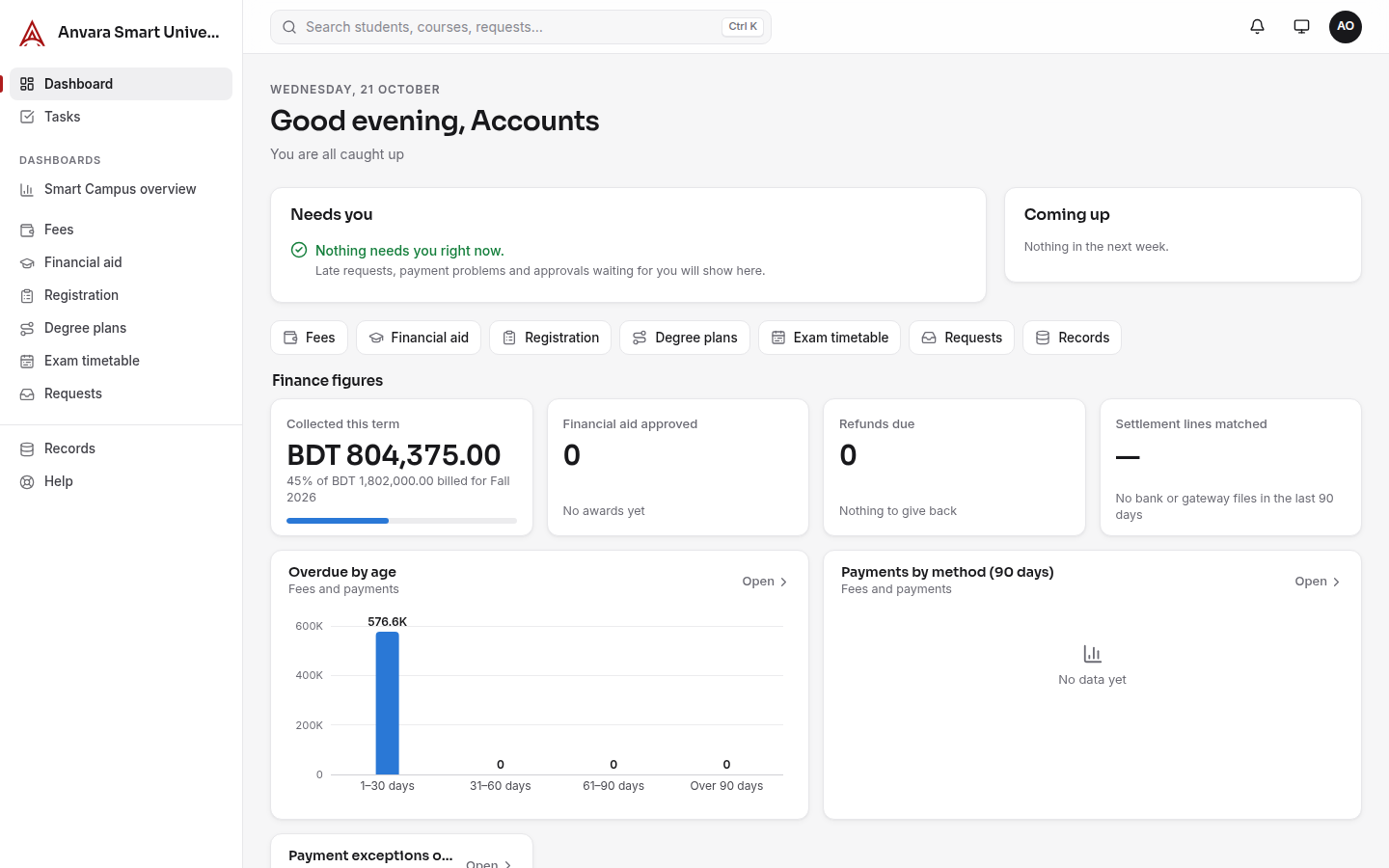
One home: what needs them, what is coming, what is in progress. A hold says why it is there and how to clear it. A bill shows billed, approved aid, pending aid and net payable, and the next instalment date.
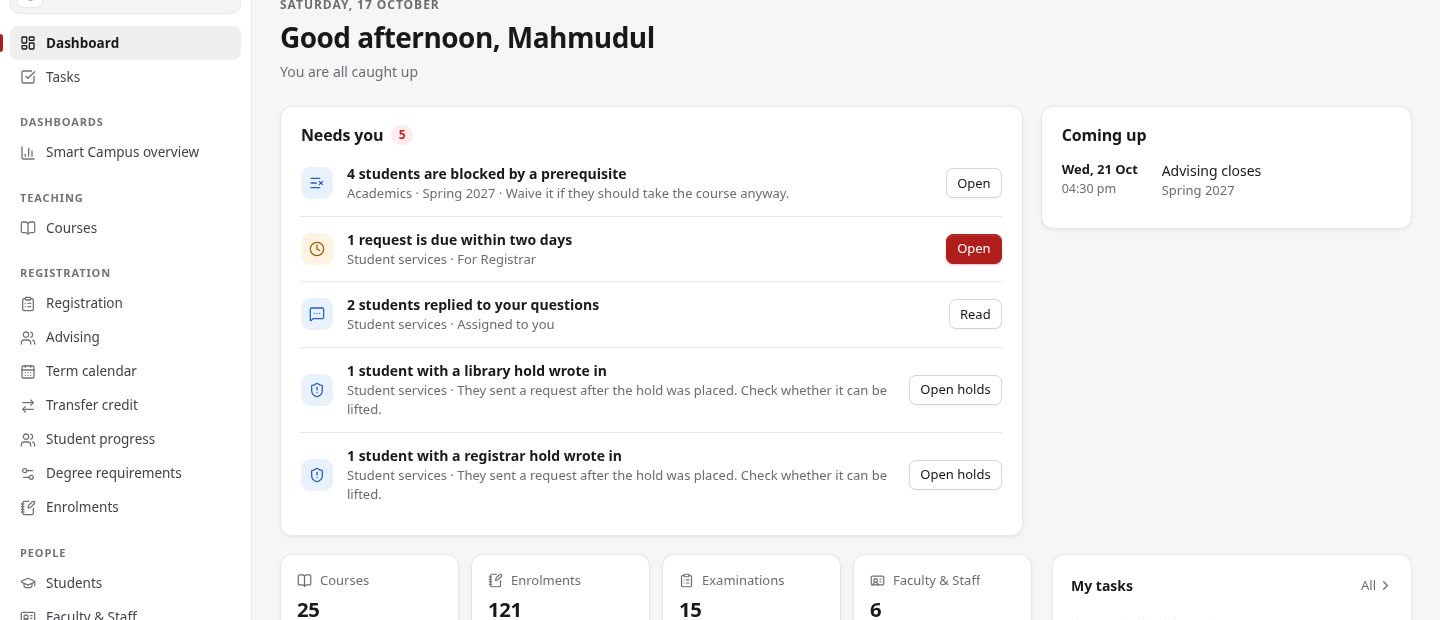
Each office has its own workspace and its own "Needs you": requests near their deadline, replies to read, payments to check, results to approve. Every request has a reference, an owner, a working-day deadline and a timeline.
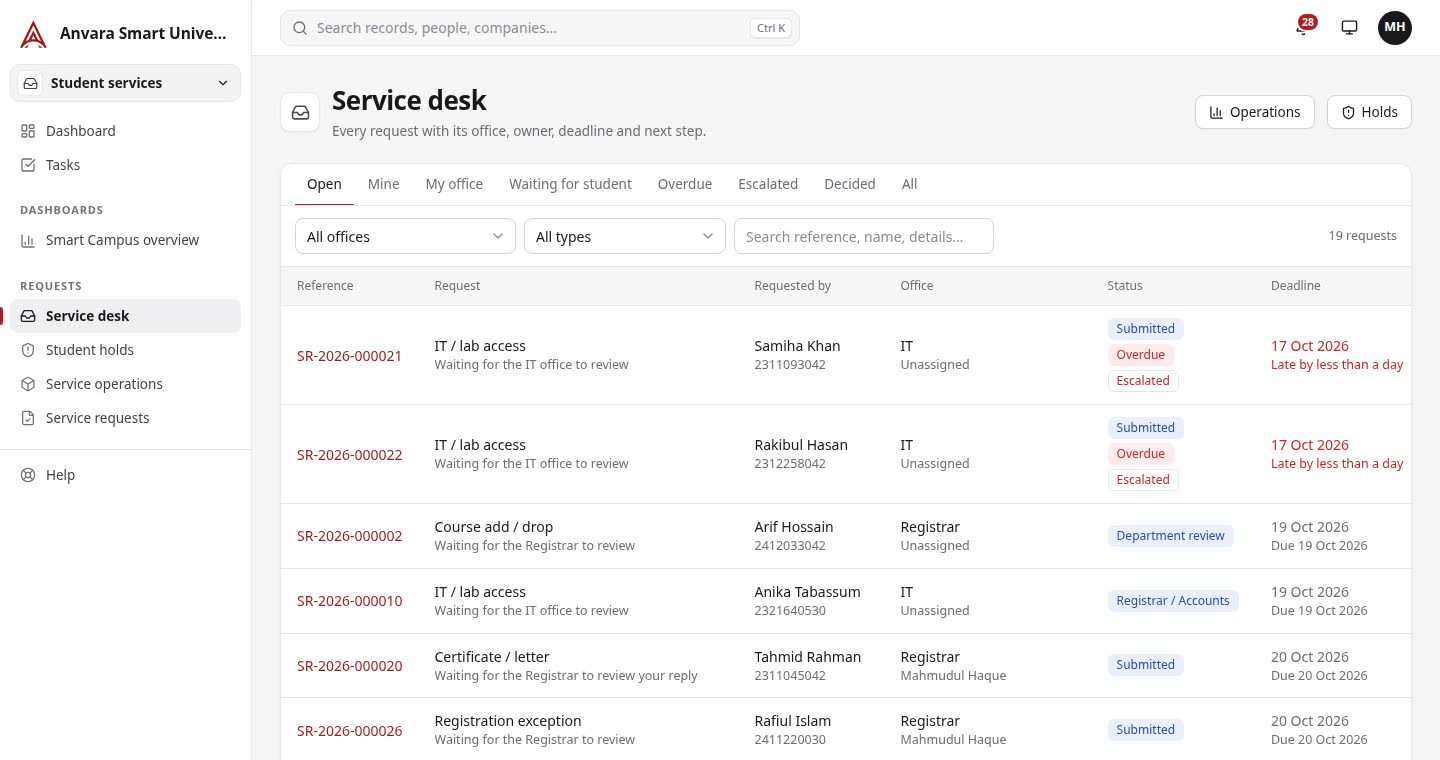
Transcript, certificate, correction, waiver, withdrawal, exception requests. Routed to an office with a working-day deadline; evidence attached; sent back for correction; approved with an audit trail.
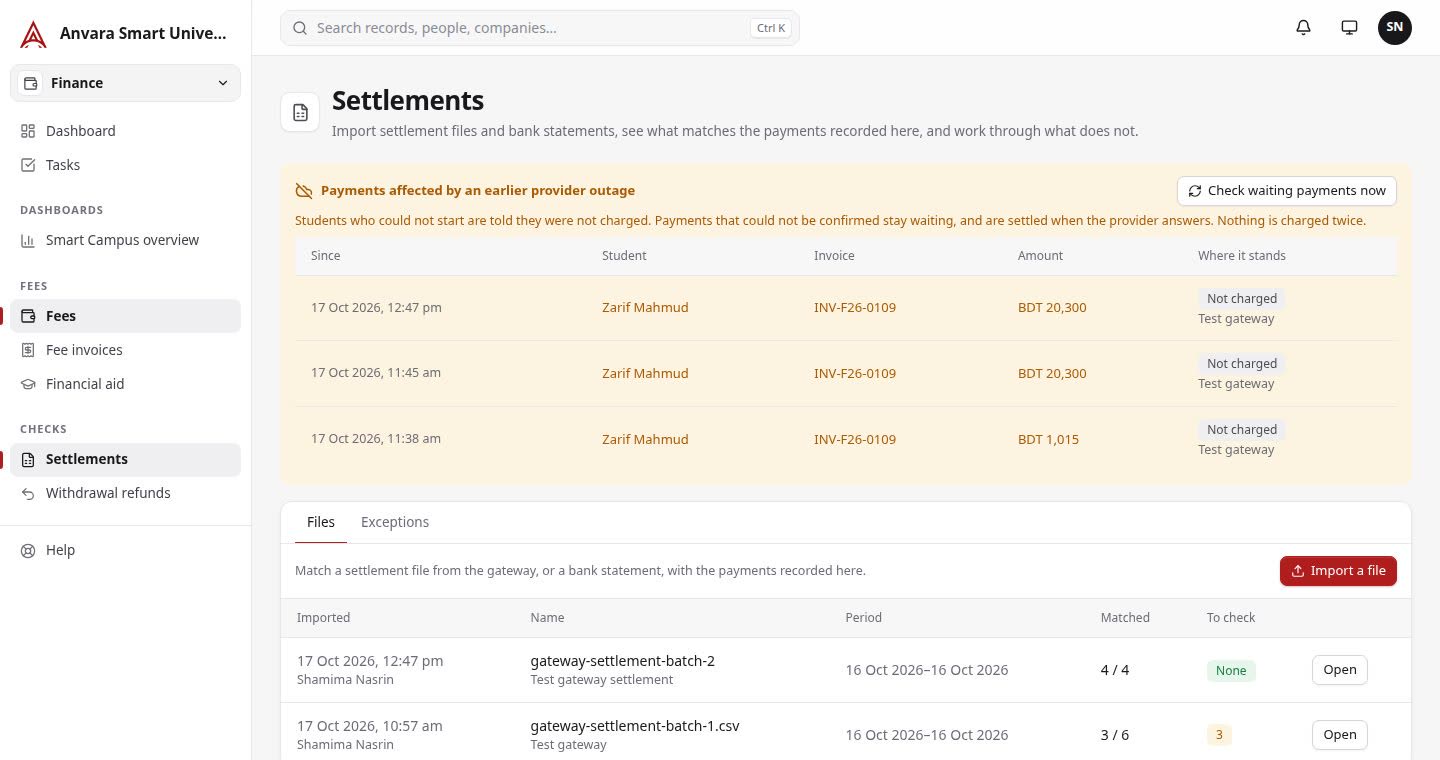
Pending, confirmed, failed, reversed, refunded. A repeated callback credits once. Provider outage: "not charged". Bank and gateway settlement files matched line by line; exceptions owned by a person.
Test gateway in the demo; SSLCommerz and Stripe need the university's accountsProposed by Finance, approved by the Aid Office. Billed, approved aid, pending aid and net payable shown apart. Renewal criteria flagged for a person to decide.
A blocked prerequisite explained in a sentence, a bill preview before confirming, deadlines per programme and intake, waitlists in order, "ask for an exception" from the rule itself.
Lines decided one by one by the Registrar with a reason; approved equivalences suggested next time, never auto-applied. Audit against the catalogue year.
Timetable clash detection for students, rooms and invigilators. Results approved before release. Grade changes keep the old value and the approver. Appeals with windows.
Online application, dated fee catalogue, correction requests with history, waiver cases with a checklist, QR admit cards with print fallback, test rooms.
Policies with an owner and review date. The assistant answers only from approved pages, shows the source and date, and hands over when unsure. Bangla and English.
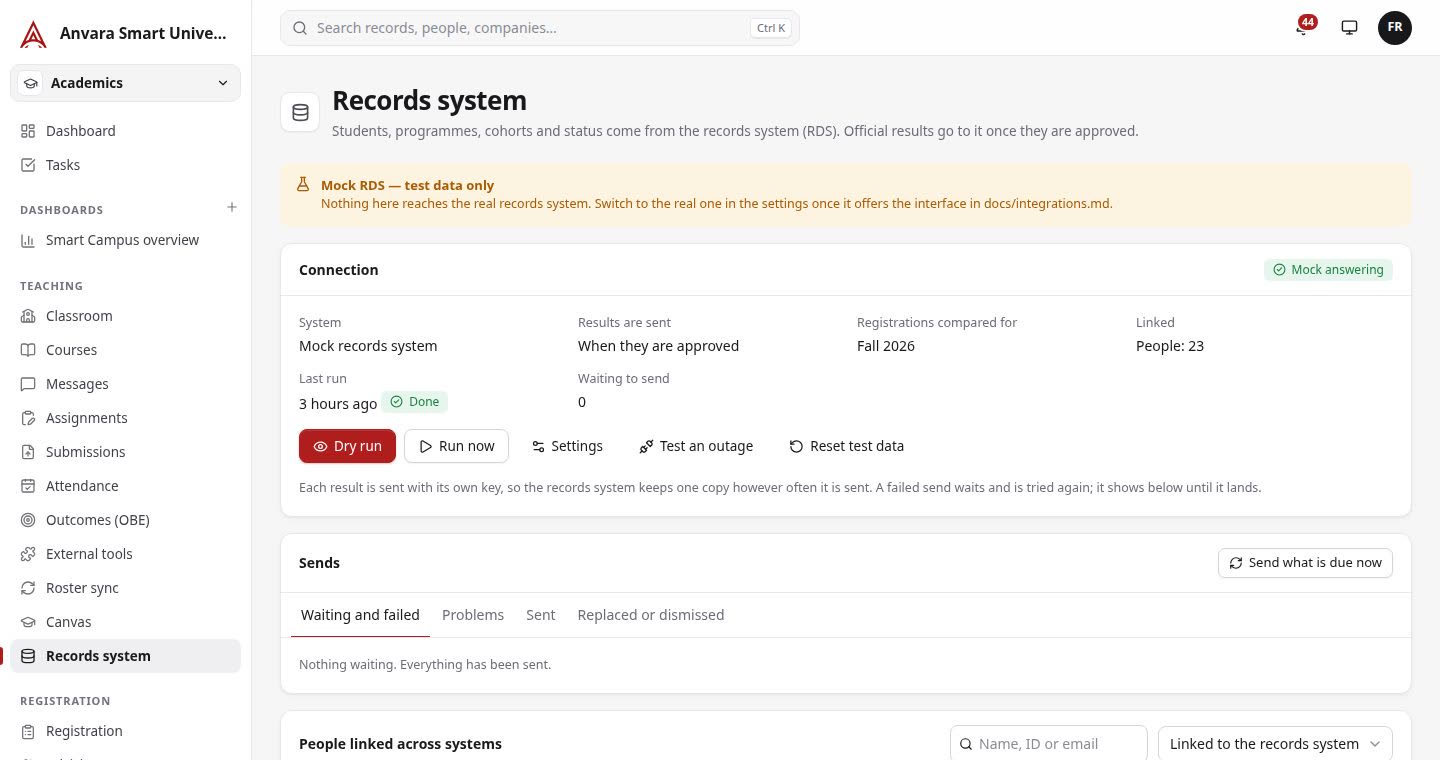
Written answers need an API key; search mode works withoutRosters in, enrolment changes and released grades out. Approved results sent to the records system once, retried safely, visible to staff when they fail.
Mock records system in the demo until a university's interfaces are sharedTwo-factor sign-in with recovery codes, required per role. System status with alerts when a connection fails. Audit log filters for IT. A restore drill that proves backups restore.
Routing suggestions and summaries on the desk, drafted replies citing approved pages, form reading confirmed field by field, a daily note on unusual figures. Every output logged; figures not in the sources refused.
Off by default; needs an API keyFaculty workload against a norm. Ethics reviews, grants and milestones. Document version history, retention rules and legal holds; nothing disposed of automatically.
The records system screen shows what was read, what is waiting to be sent, what failed and why. Staff retry; nothing is sent twice. Until a university shares its interface, a clearly labelled mock stands in, so the whole journey can be shown today.
The same goes for the rules: tuition per credit, instalments and late fees, refund windows, drop deadlines, the grade scale, probation and aid retention are entered as settings. Nothing is hard-coded. See how it is set up.
Figures from the proof-of-concept run of October 2026 on a throwaway stack. The report is available on request.
English · বাংলা · සිංහල · தமிழ் · ខ្មែរ · ລາວ · Tiếng Việt
Each person chooses their language; dates and numbers follow it. Notifications and emails go out in the reader's language. Administrators can correct any translated wording and it applies at once.
Open the demo, or tell us about your university and we will show you the parts that matter to you.